iproyal pawn
Installation of IPRoyal Pawns
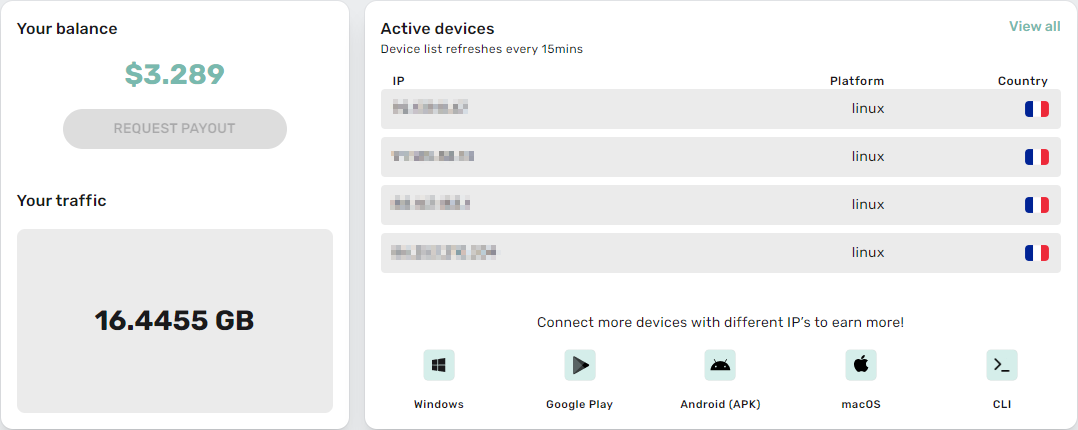
Installing Docker on Linux Debian :
Shell
| sudo apt-get -y update sudo apt-get -y install ca-certificates curl gnupg lsb-release curl -fsSL https://download.docker.com/linux/debian/gpg | sudo gpg –dearmor -o /usr/share/keyrings/docker-archive-keyring.gpg echo « deb [arch=$(dpkg –print-architecture) signed-by=/usr/share/keyrings/docker-archive-keyring.gpg] https://download.docker.com/linux/debian $(lsb_release -cs) stable » | sudo sudo apt-get -y update sudo apt-get -y install docker-ce docker-ce-cli containerd.io |
Installation of IPRoyal in Docker :
sudo docker pull iproyal/pawns-cli:latest
Shell
| 1 | docker run -d –restart unless-stopped iproyalpawns./pawns-cli -email=reglisss@gmail.com -password=JPLh2022! -device-name=MACHINEDEBIZZ -accept-tos |
./pawns-cli -email=reglisss@gmail.com -password=JPLh2022! -device-name=BOA -accept-tos

Set up the repository
- Update the
aptpackage index and install packages to allowaptto use a repository over HTTPS: $ sudo apt-get update $ sudo apt-get install \ ca-certificates \ curl \ gnupg \ lsb-release- Add Docker’s official GPG key:
$ sudo mkdir -p /etc/apt/keyrings $ curl -fsSL https://download.docker.com/linux/debian/gpg | sudo gpg --dearmor -o /etc/apt/keyrings/docker.gpg- Use the following command to set up the repository:
$ echo \ "deb [arch=$(dpkg --print-architecture) signed-by=/etc/apt/keyrings/docker.gpg] https://download.docker.com/linux/debian \ $(lsb_release -cs) stable" | sudo tee /etc/apt/sources.list.d/docker.list > /dev/null
Install Docker Engine
This procedure works for Debian on x86_64 / amd64, armhf, arm64, and Raspbian.
- Update the
aptpackage index, and install the latest version of Docker Engine, containerd, and Docker Compose, or go to the next step to install a specific version: $ sudo apt-get update$ sudo apt-get install docker-ce docker-ce-cli containerd.io docker-compose-plugin
sudo docker run -i –name tm traffmonetizer/cli start accept –zN1GVnoV0v/LOn6pSeG0SuCRiWolMOg6hXbwpVwQdLk=
sudo systemctl enable docker.service
system: Ubuntu18.04
Hardware Configuration: 1-cpu/512M-ram/10GB-disk/1IP
Please make sure the system is pure
Docker and other software are not installed

Update system:
sudo apt-get update


Install wget、curl、tmux
sudo apt-get -y install wget curl tmux


Use tmux to open a new session window
tmux


Download script:
Chinese wget https://peer2profit.net/sh/p2p_cn.sh
English wget https://peer2profit.net/sh/p2p_en.sh


Give script permissions
chmod +x p2p_cn.sh
chmod +x p2p_en.sh


./p2p_en.sh


Due to Peer2Profit API interface and policy reasons, the speed of node launching varies, please be patient!